
With 46% of SaaS licenses going unused, your software portfolio may be costing you more than it needs to. Learn how to identify SaaS sprawl, eliminate waste, and regain control of your applications.
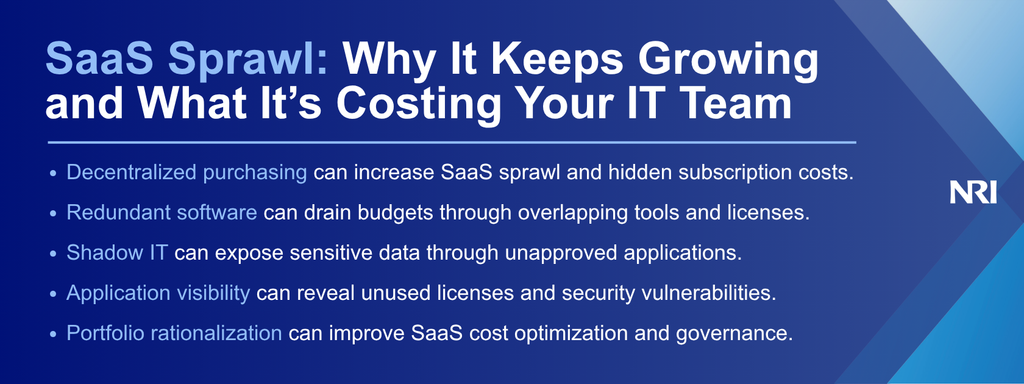
Whether you’re a CIO, IT director, or business leader, your organization is likely paying for software nobody uses, tools that do the same job, and subscriptions nobody remembers approving. With AI applications adding monthly fees and usage-based credits, tracking these expenses is becoming increasingly difficult.
The problem worsens when software purchasing happens across departments without shared visibility. Sales might subscribe to a reporting tool that overlaps with one already used by marketing, while IT continues paying for inactive or underused licenses. Before long, you’re dealing with rising costs, duplicate applications, and security risks that nobody has fully accounted for.
That’s how SaaS sprawl develops: applications, licenses, integrations, and costs accumulate across the business without complete visibility or or consistent governance .
In fact, Zylo’s 2026 SaaS Management Index reports that 46% of SaaS licenses go unused. The cost isn’t limited to unused licenses. Unapproved applications and integrations can create security blind spots, while disconnected systems increase operational complexity and make information harder to manage across teams.
Regaining control starts with a clear view of your application portfolio: what you own, what employees actually use, what it costs, what it connects to, and what business value it delivers. From there, you can rationalize the portfolio without disrupting the workflows the business depends on.
Why SaaS sprawl is difficult to control
SaaS sprawl occurs when cloud applications accumulate without coordinated purchasing, visibility, or governance. Although these tools make it easier for employees to complete their work, decentralized adoption can create problems your IT team isn’t prepared to manage.
Three common factors contribute to this growth:
- Frictionless software purchasing
Your employees can subscribe to software using corporate credit cards without involving IT or procurement. While that flexibility can speed up work, it also allows applications to enter your organization without proper security reviews.
AI applications can accelerate this pattern because employees can often purchase them through expense-based channels before they enter centralized procurement or governance processes.
- Redundant software across departments
Your marketing, sales, and operations teams may purchase different platforms offering similar capabilities. Without a shared application inventory, employees might not know that another department already uses software that meets their needs.
The result is overlapping spending, fragmented data, and more applications for IT to integrate, secure, and support.
- Organizational silos and M&A complexity
Mergers and acquisitions can leave your organization with duplicate applications, inherited licenses, and disconnected platforms. Unfortunately, some subscriptions remain active even after their original users or business functions disappear.
For organizations working through acquisition-related complexity, NRI’s guide to integrating IT systems after a merger explains how coordinated planning can address inherited technology complexity.
The Real Cost of SaaS Sprawl: Money, Operations, and Security
Unchecked SaaS sprawl can affect your organization’s finances, productivity, and cybersecurity. Unfortunately, these consequences aren’t always visible in departmental purchasing reports.
The biggest costs generally appear in three areas:
- Hidden licensing costs
Unused seats, automatic renewals, and overlapping subscriptions can quietly increase your annual software spending. Tiered pricing may also leave departments paying for features they rarely use.
Reviewing license utilization contract terms, and upcoming renewals can reveal opportunities to reduce IT costs without sacrificing essential capabilities.
- Operational friction and IT overhead
Disconnected applications can fragment information and force employees to repeat work across different platforms. Meanwhile, your IT team must troubleshoot integrations, manage access, and support tools purchased without its involvement.
Every hour spent maintaining an unnecessary application is capacity IT can’t apply to modernization, security, automation, or other higher-priority work.
- Security blind spots and shadow IT
Unapproved applications may process sensitive information without undergoing your organization’s standard security assessments. Unmonitored API connections, excessive permissions, and inactive accounts can also increase your exposure.
Without reliable application visibility, your security team may not know which vendors hold company data, which integrations have access to it, or which accounts and permissions still need to be governed.
How to Control SaaS Sprawl Through Portfolio Rationalization
SaaS portfolio rationalization is the process of evaluating applications based on business value, usage, cost, risk, and technical fit, then deciding what to retain, consolidate, replace, or retire. Reducing SaaS sprawl doesn’t mean removing every application outside your approved technology stack. First, you need to understand which tools deliver value and which add unnecessary costs.
A structured approach begins with three steps:
1. Establish reliable application visibility
Start by reviewing expense reports, procurement records, identity providers, and network activity. Comparing these sources helps identify applications missing from your official inventory.
For each application, record the following:
- Ownership: Which department manages the application and its budget?
- Usage: How many employees actively use their assigned licenses?
- Costs: What are the subscription fees and renewal commitments?
- Security: What data, permissions, and integrations does the application require?
- Dependencies: Which systems, APIs, workflows, and data sources depend on the application?
- Business value: Which workflows or operational objectives does it support?
Your inventory becomes the baseline for comparing cost, utilization, duplication, risk, dependencies, and business value across the portfolio.
2. Rationalize your application portfolio
Once you understand your software estate, classify applications by value, usage, cost, and risk.
Three decisions can guide your rationalization efforts:
- Retain: Keep applications that deliver clear business value.
- Consolidate: Combine overlapping tools where functionality and migration requirements allow.
- Replace: Move away from applications that still serve an important business need but no longer meet cost, security, integration, or technology requirements.
- Retire: Remove unused applications that no longer provide sufficient value after addressing contracts, data retention, dependencies, and user impact.
However, consolidation shouldn’t disrupt critical workflows. Before consolidating, replacing, or retiring a platform, a thoughtful application modernization strategy can help you evaluate dependencies before making changes.
3. Establish integration and governance controls
Some applications serve distinct business needs and should remain connected rather than consolidated. Where appropriate, middleware and managed APIs can help approved platforms exchange information securely.
At the same time, define who can approve new software, when security and procurement reviews are required, who owns each application, and how renewals will be evaluated. Schedule recurring portfolio reviews so inactive licenses, redundant platforms, and unmanaged integrations don’t quietly accumulate again.
How NRI helps you regain control of SaaS sprawl
SaaS rationalization isn’t only a licensing exercise. Decisions about what to retain, consolidate, replace, or retire can affect architecture, integrations, security, user workflows, and future modernization plans.NRI connects advisory, application modernization, and cybersecurity capabilities to support better technology decisions.
NRI’s three service pillars support that lifecycle:
- Strategize & advise: NRI’s advisory expertise can help you assess application portfolios, identify duplication, and prioritize modernization opportunities. The result is a prioritized view of where to reduce cost, address risk, and focus modernization investment.
- Build & transform: NRI’s application modernization and integration capabilities help organizations improve architecture and connect business platforms. That can include reducing unnecessary complexity, improving integrations, and modernizing important business applications while accounting for the workflows and dependencies around them.
- Protect & manage: NRI’s cybersecurity, governance, and managed services capabilities support risk management and ongoing technology oversight. These capabilities can help organizations address application access, governance, security visibility, and ongoing operational oversight as the portfolio changes.
Take control of SaaS sprawl with NRI
You don’t need to eliminate every SaaS application to regain control. You need enough visibility to distinguish useful software from unnecessary cost, understand the dependencies behind each decision, and establish governance that keeps the problem from rebuilding.
Talk to NRI today about assessing your application portfolio and identifying opportunities to reduce cost, manage risk, and prioritize modernization.