
The threats are evolving, and firewalls are crumbling. Discover how to navigate the future of IAM in Microsoft 365 successfully
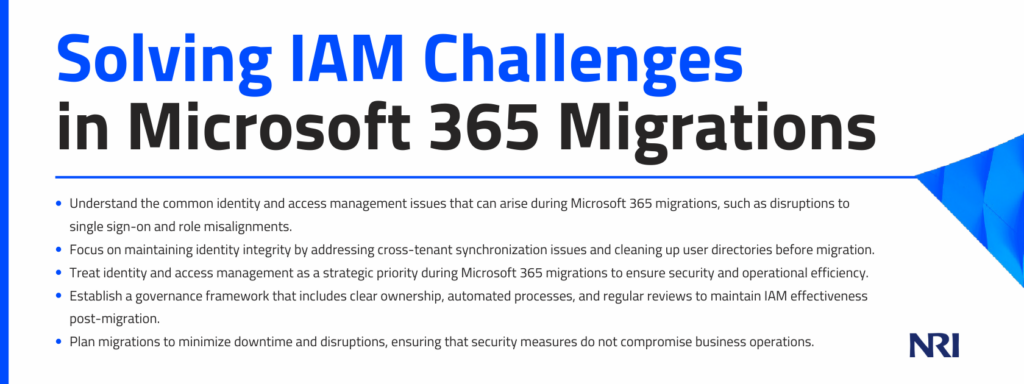
Migrating to Microsoft 365 is a transformative step for organizations, offering enhanced collaboration tools and cloud-based efficiencies. However, this transition often comes with challenges in identity and access management (IAM). From broken single sign-on (SSO) policies to role misalignment and excessive permissions, the migration process can disrupt identity and access in major ways.
It’s 2026, and enterprises are not dealing with traditional, slow-paced threats or clear-cut breaches. Instead, they are up against autonomous software that operates at speeds far beyond human capability, making decisions, executing actions, and exploiting vulnerabilities at machine speed.
The rise of cloud computing has blurred network lines, SaaS solutions have dispersed data across various platforms, and remote work has helped dismantle the office firewall. The perimeter hasn’t vanished; it has fragmented and reformed around identity. Now, AI-driven bad agents are learning to navigate this new landscape.
This article will help IT leaders of IAM during Microsoft 365 migrations. It focuses on effective strategies for access governance, implementing role-based controls, and maintaining identity integrity across multiple tenants. You’ll learn how to enhance security and streamline access processes before and after the migration, ensuring business operations continue smoothly and efficiently.
The Identity Risk Hidden Inside Microsoft 365 Migration
During tenant consolidation or migration, IAM becomes particularly unstable, posing risks to both security and productivity.
Common disruption points
One of the most common issues during Microsoft 365 migrations is the disruption of single sign-on (SSO) policies. Plus, duplicate accounts often emerge during migration, leading to confusion and potential unauthorized access. Permission sprawl further complicates the IAM landscape, increasing the risk of data breaches.
Role misalignment creates security gaps and productivity bottlenecks
Role misalignment is another significant challenge during migrations. During a Microsoft 365 migration, role misalignment can occur when permissions, licenses, and access rights do not transition accurately from the original system to the new environment
This misalignment leads to serious security risks, such as unauthorized access to sensitive data, and can also hinder productivity by disrupting user workflows and breaking essential links. When roles are not properly aligned with business needs, it creates security gaps that malicious actors can exploit.
Misaligned roles also lead to productivity bottlenecks: employees may lack the necessary permissions to perform their tasks efficiently.
IAM must be treated as a strategic workstream
Identity and access management should not be an afterthought in the migration process. Instead, it must be treated as a strategic workstream that aligns with the organization’s overall security and business objectives. By prioritizing IAM, organizations can ensure a smoother transition to Microsoft 365, minimize disruptions, and enhance security.
Reestablish Identity Integrity Across Tenants
Maintaining identity integrity across tenants is essential. This involves addressing cross-tenant identity synchronization challenges and ensuring that user directories are clean and normalized before migration.
Assaults on identity infrastructure remain relatively infrequent compared to other types of cyberattacks. More than 97% of identity-related attacks are carried out through password spraying or brute-force techniques. However, the range of these threats is expanding. New attack methods are emerging regularly, often targeting vertical pathways from on-premises systems to the cloud.
Solve cross-tenant identity synchronization challenges
Cross-tenant identity synchronization is a complex process that requires careful planning and execution. Without proper synchronization, users may experience access issues, leading to frustration and potential security risks. Understanding these challenges is the first step in ensuring a successful migration.
Clean and normalize user directories before migration
Before migrating to Microsoft 365, it’s crucial to clean and normalize user directories. This hygiene involves removing outdated or duplicate entries and ensuring that all user information is accurate and up to date. A clean directory is critical to maintain identity integrity and prevent access issues during migration.
Map authentication methods and conditional access policies intentionally
Intentional mapping of authentication methods and conditional access policies is vital for maintaining security during migration. By carefully planning these elements, you can ensure that users have the appropriate level of access and that security measures are in place to protect sensitive data.
Protect federation, SSO, and MFA configurations
Federation, SSO, and multifactor authentication (MFA) configurations are critical components of IAM. It’s worth noting that contemporary multifactor authentication continues to decrease the likelihood of identity breaches by over 99%. Protecting these configurations during migration is essential to maintaining security and ensuring a seamless user experience.
Eliminate Role Misalignment and Permission Creep
Role misalignment and permission creep are common issues that can arise during Microsoft 365 migrations. Addressing these challenges is crucial for maintaining security and operational efficiency.
Audit legacy permissions before migration
Before migrating to Microsoft 365, it’s essential to audit legacy permissions by reviewing existing access rights and identifying any excessive or outdated permissions. By conducting a thorough audit, organizations can ensure that only necessary permissions are carried over to the new environment.
- Align role-based access controls with current business structures: Role-based access controls (RBAC) should be aligned with current business structures to ensure that employees have the appropriate level of access. Review and update roles to reflect the organization’s current needs and objectives.
- Remove excessive permissions to enforce least-privilege principles: Enforcing the principle of least privilege (PoLP) is crucial for maintaining security during and after migration.
The gradual accumulation of access rights, known as privilege creep, is among the most neglected cybersecurity risks. This issue is seldom intentional, which is what makes it perilous: it quietly expands as individuals change roles, take on temporary projects, or cover for colleagues. This quiet, often unnoticed, progression is what transforms it into a significant threat.
- Prevent inherited access issues in newly merged environments: Inherited access issues can arise in newly merged environments, posing security risks. Establish clear access controls and carefully review inherited permissions.
Design Governance That Scales Post-Migration
Effective governance is critical to maintaining the integrity of identity and access management after a Microsoft 365 migration. Establishing scalable governance frameworks ensures that IAM policies remain robust as the organization evolves.
Establish clear ownership for access governance
Clear ownership and accountability are vital for effective access governance. Organizations should designate specific roles or teams to oversee IAM policies and procedures. This clarity helps ensure that access governance remains a priority and that any issues are addressed promptly.
Automate provisioning and deprovisioning workflows
Automation is a powerful tool for efficiently managing IAM processes. By automating provisioning and deprovisioning workflows, organizations can reduce the risk of human error and ensure access rights are updated in real time. This automation helps maintain security and compliance while freeing up IT resources for other critical tasks.
Implement periodic access reviews and certification cycles
Regular access reviews and certification cycles are essential for maintaining IAM integrity. These reviews help identify any discrepancies or outdated permissions, allowing organizations to make necessary adjustments to ensure that access rights remain aligned with current business needs and security policies.
Align IAM policies with zero-trust architecture principles
Adopting a Zero Trust architecture is increasingly becoming a best practice in IAM. By aligning IAM policies with Zero Trust principles, organizations can enhance security by assuming that threats may exist both inside and outside the network. This approach emphasizes continuous verification and strict access controls, reducing the risk of unauthorized access.
Balance Security With Business Continuity
While security is a top priority during Microsoft 365 migrations, it’s equally important to ensure business continuity. Balancing these two objectives requires careful planning and communication.
Minimize downtime during identity cutovers
Minimizing downtime during identity cutovers is crucial for maintaining business operations. Organizations should plan cutovers during low-activity periods and ensure that all stakeholders know the schedule. By minimizing downtime, organizations can reduce productivity losses and maintain user satisfaction.
Sequence Migrations to Protect Operational Workflows
Proper migration sequencing protects operational workflows. By prioritizing critical systems and users, organizations can ensure essential business functions remain uninterrupted during the migration.
Communicate access changes clearly
Clear communication is key to a successful migration. Organizations should inform end users and department leaders of any access changes well in advance. Providing training and support can help users adapt to new systems and processes, reducing frustration and ensuring a smooth transition.
Monitor authentication anomalies and access patterns in real time
Real-time monitoring of authentication anomalies and access patterns is essential for detecting potential security threats. By leveraging advanced analytics and monitoring tools, organizations can identify suspicious activity and respond quickly to mitigate risks.
Successfully Navigate the Future of IAM in Microsoft 365
As organizations continue to embrace Microsoft 365, effective identity and access management will be crucial for maintaining security and operational efficiency. By addressing migration challenges head-on and implementing best IAM practices, organizations can ensure a smooth transition and a secure future.
Treating IAM as a strategic priority, rather than a technical afterthought, will empower organizations to navigate the complexities of modern IT environments and protect their most valuable assets: identity and access.